
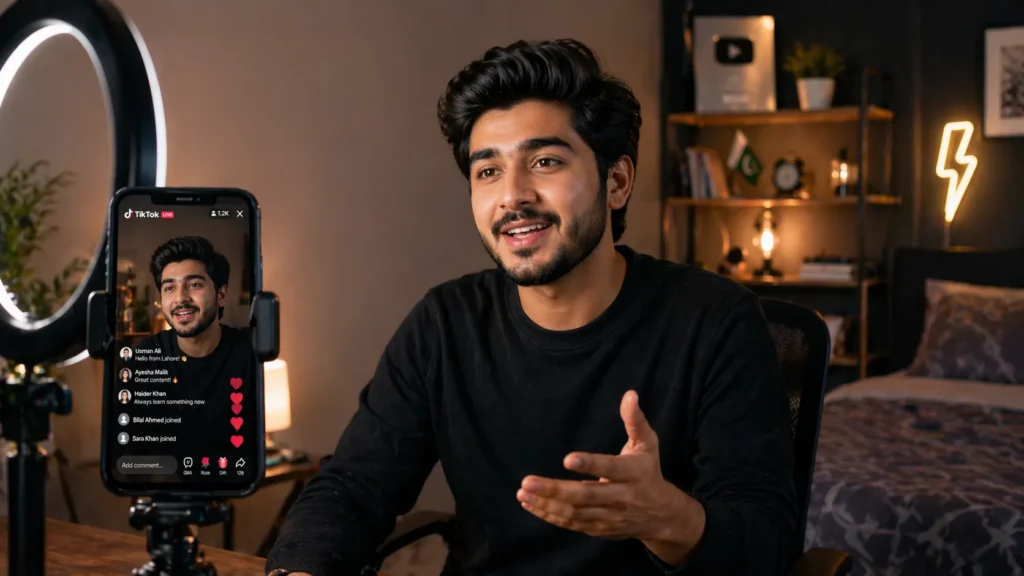
You just opened TikTok. You scroll past a TikTok Live session, someone chatting with hundreds of viewers and earning gifts in real time.
The answer is yes but in Pakistan, it comes with an important catch.
TikTok Live is one of the fastest ways to build a real audience, sell products, and connect with people who actually care about your content. Pakistani creators are using it to grow businesses, run Q&A sessions, and earn through live gifts every single day.
This guide covers everything honestly: the official steps, the Pakistan-specific reality, the home setup, the gear, and the tips that actually grow your live audience. Whether you are just starting or ready to go professional, you will find clear and actionable guidance here. Let us get into it.
Is TikTok Live Available in Pakistan?
This is the first question every Pakistani creator asks. Here is the honest answer.
TikTok Live is officially restricted for many users in Pakistan. The Pakistan Telecommunication Authority (PTA) has raised content-related concerns multiple times. As a result, TikTok periodically disables the live feature for Pakistani-registered accounts even when every requirement is fully met.
You could have:
- 1,000+ followers
- Correct age set
- Clean account standing
And still never see the Go Live button. That is not your fault it is a regional policy block.
how do Pakistani creators unlock it?
Many insert a foreign SIM card from the US, UK, Canada, or UAE. TikTok reads your SIM carrier as a location signal. Consequently, switching SIMs has helped many Pakistani accounts unlock live access on the same device.
Note: This is not officially supported by TikTok. It conflicts with their Terms of Service and risks account suspension. Proceed only after making an informed decision.
How to Go Live on TikTok
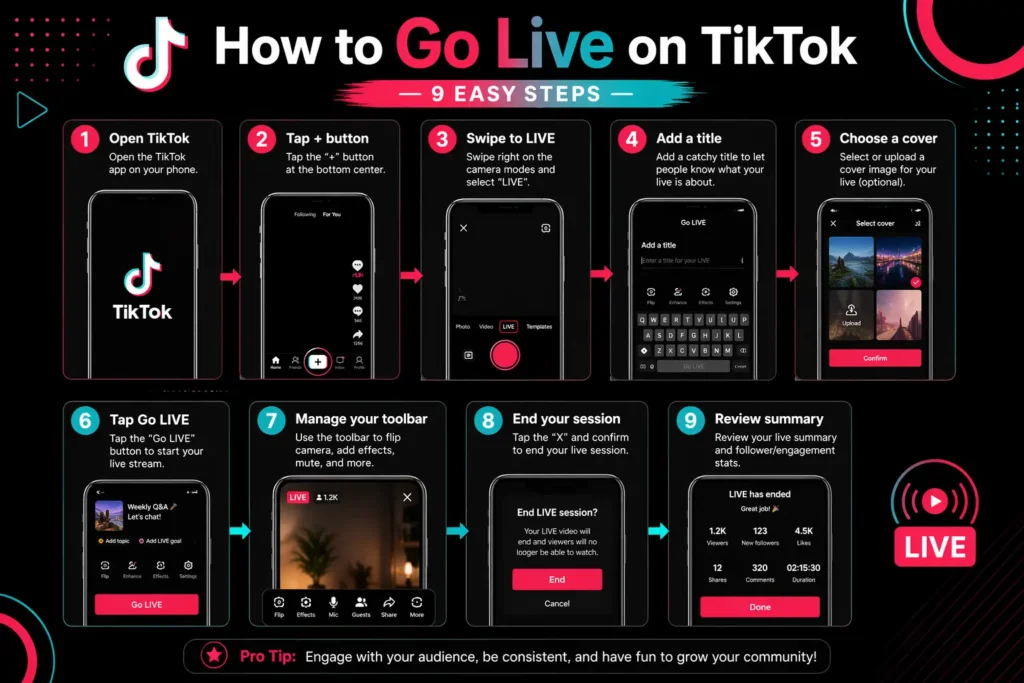
Going live on TikTok is surprisingly simple once you meet the basic requirements. First, here is a quick overview of the full process before we dive deeper.
- Open the TikTok app on your phone
- Tap the “+” (Create) button at the bottom center
- Swipe left on the bottom menu until you see “LIVE”
- Add a title for your live session (keep it short and catchy)
- Choose a cover image if you want
- Tap “Go LIVE” to start broadcasting instantly
- Use the right-side toolbar to manage comments, filters, and guests
- Tap “X” in the top left to end your live session
- Review your live summary it shows viewers, gifts, and duration
That is the basic flow. However, before you tap that button, make sure your account actually qualifies.
TikTok Live Requirements and Eligibility in 2026
TikTok has specific rules about who can go live. These rules exist to keep the platform safe and authentic. Here is what you need to know.
Minimum Followers
You need at least 1,000 followers to unlock the TikTok Live feature. This threshold has remained consistent through 2025 and into 2026. If you do not see the LIVE option yet, focus on growing your followers first. Consistent posting, trending audio, and engaging with your niche community will get you there faster.
Age Requirement
You must be at least 18 years old to go live on TikTok. Creators between 16 and 17 years old cannot access the live feature, even if they have enough followers. Specifically, TikTok enforces this through account date-of-birth verification. Make sure your account age is correctly set during sign-up.
Account Eligibility
Your account must also be in good standing. That means:
- No recent Community Guidelines violations
- No active account restrictions or bans
- Your account must be at least 30 days old
- You need a verified phone number linked to your account
Once you meet all these conditions, the LIVE button will appear automatically. No application needed.
How to Live Stream on TikTok on PC
Prefer a bigger screen and more control? You can absolutely go live on TikTok using your PC or laptop. TikTok supports desktop broadcasting through TikTok Live Studio, its official, free streaming software built specifically for creators.
Here is exactly how to get started:
- Download & Install Get TikTok Live Studio from the official TikTok website and install it on your Windows PC
- Log In Open the app and sign in directly with your existing TikTok account credentials
- Choose Category Select a streaming preset like Gaming to automatically configure your layout and settings
- Select Devices Connect your microphone and camera through the setup menu for clean audio and video
- Run Speed Test Let the software test your internet speed and hardware to set the best possible stream quality
- Pick Layout Choose between Landscape (horizontal) or Portrait (vertical) mode depending on your content style
- Add Game Source Use the Add Source button to capture a specific game or your entire desktop screen
- Go Live Hit the Go Live button at the bottom and start broadcasting to your followers instantly
TikTok Live Studio also supports screen sharing, overlays, and multi-camera input. This makes it genuinely ideal for gaming streams, product demos, and professional-grade content.
Meanwhile, for advanced users, OBS Studio paired with a TikTok stream key is another solid option. Find your stream key inside TikTok Live Studio settings. This combination gives you maximum control over stream quality, scenes, and layout customisation.
TikTok Live Setup at Home
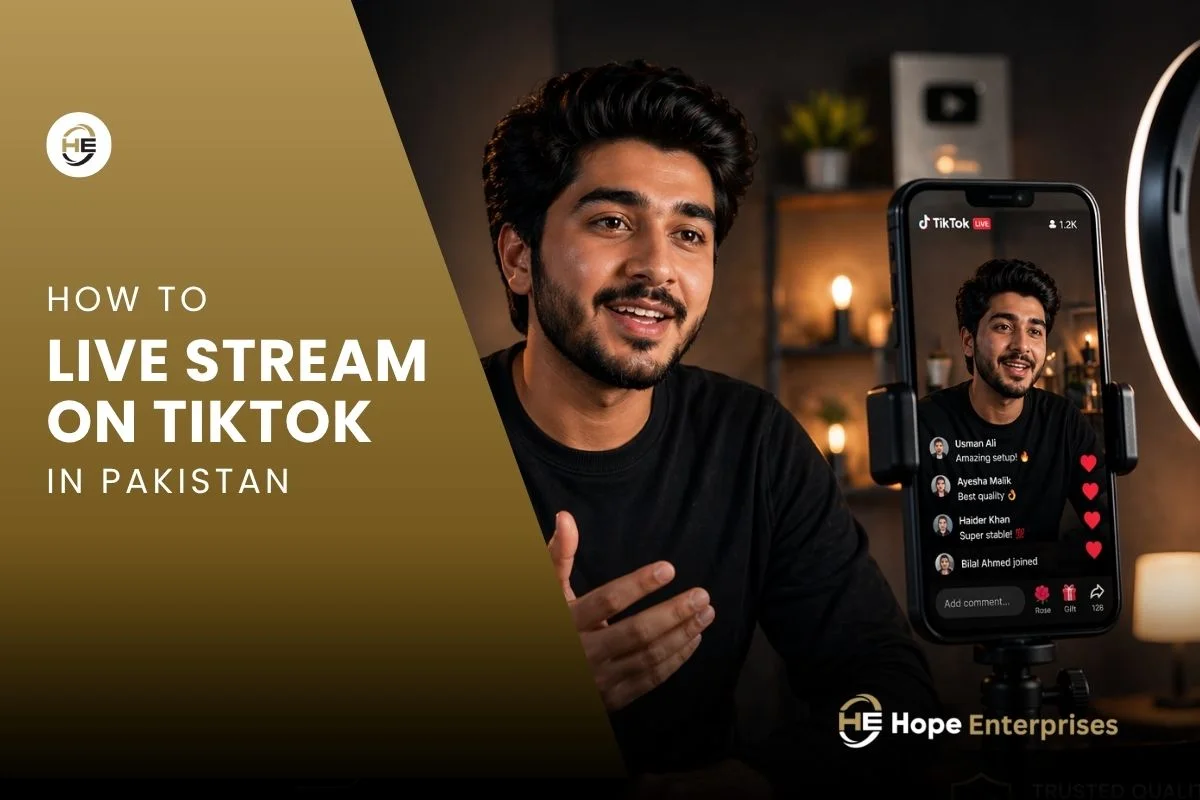
You do not need a professional studio. A good TikTok live setup at home is totally achievable on a Pakistani budget. Here is what a solid home setup looks like.
Environment:
- Choose a clean, uncluttered background a plain wall or bookshelf works great
- Make sure the room is quiet because noise kills viewer retention
- Face a natural light source like a window for the best lighting without buying equipment
Device:
- Use a phone with a good front camera
- Mount your phone on a tripod so your frame stays steady
- Keep your charger plugged in at all times
Connection:
- Use Wi-Fi over mobile data whenever possible
- Minimum recommended speed: 5 Mbps upload for smooth 1080p streaming
- Restart your router before going live if your connection has been slow
Audio:
- Built-in phone mic is okay for beginners
- A simple clip-on lavalier mic makes a huge difference (Hollyland Lark M2 and Ulanzi J12 available in Pakistan thorough Hope Enterprises)
Overall, even a basic home setup with good lighting and clear audio can attract thousands of viewers. Content quality matters more than studio equipment when you are just starting.
Common TikTok Live Problems and Fixes
Every Pakistani creator faces technical issues at some point. Fortunately, you’ll find the most common issues below, along with exactly how to fix them.
| Problem | Likely Cause | Fix |
| LIVE button not showing | Under 1,000 followers or age restriction | Grow followers; check age settings |
| Stream keeps buffering | Weak internet connection | Switch to Wi-Fi; reduce stream quality |
| Echo in audio | Using speakers while live | Use earphones or headphones |
| Comments not loading | App needs update | Update TikTok to latest version |
| Black screen on live | Camera permission denied | Allow camera access in phone settings |
| Gifts not showing | Region restriction | Verify account details and region settings |
| Sudden disconnection | Background apps using bandwidth | Close all other apps before going live |
Ideally, always check your tiktok live settings before going live. Go to your profile → Settings → Live → and review comment filters, gift settings, and age restriction options. Adjusting these ahead of time saves you headaches mid-stream.
5 Tips to Increase Your TikTok Live Viewers
Getting viewers to join is one challenge. Keeping them is another. Therefore, these five tips are used by top Pakistani TikTok creators to grow their live audience consistently.
Multi-Guest
Invite another creator to join your live streaming using TikTok’s Multi-Guest feature. You can host up to five guests simultaneously in 2026. Naturally, collaboration brings both audiences together. It doubles your exposure instantly. Choose guests who share your niche for the best results.
Use Proper Lighting
Bad lighting is the number one reason viewers leave within seconds. Your face needs to be well-lit and visible. For instance, a ring light placed directly in front of you makes a dramatic difference. Even sitting near a bright window helps significantly. Do not go live in dim rooms; it signals low effort to viewers.
Schedule Your Live
Consistency builds habit. Simply, tell your followers: “I go live every Tuesday and Thursday at 8 PM.” Use TikTok’s Live Scheduling feature to announce upcoming sessions. Your followers receive a notification reminder. This simple habit can double your average viewer count over time.
Manage Comments
Active comment management keeps the energy high. In addition, pin positive comments. Respond to viewer names out loud. Use the auto-filter feature to block spam and offensive words automatically. A well-moderated live session feels welcoming and encourages new viewers to stick around.
Q&A Sessions
Q&A sessions are the highest-engagement live format on TikTok in Pakistan right now. Essentially, ask your audience to drop questions in the comments. Answer them one by one. This format works for educators, coaches, business owners, and even product sellers. It builds trust, authority, and connection simultaneously.
Professional Equipment for High-Quality TikTok Streams
Once you are ready to level up, the right equipment makes a real difference. Here is what professional Pakistani TikTok streamers use.
- Tripod Stand: A good tripod stand keeps your shot stable and hands-free. Look for adjustable-height tripods with a phone holder and ball head. Flexible gorilla-style tripods are great for smaller spaces. Budget range in Pakistan: Rs. 3,000–20,000 est.
- Microphone: Audio quality directly impacts how long viewers stay. A USB condenser mic or a wireless clip-on mic eliminates background noise cleanly. Notably, popular choices include wireless mics from Hollyland and Ulanzi. Budget range: Rs. 3,000–95,000 est.
- Ring Light or Softbox Lights: A 10-inch or 12-inch ring light with adjustable color temperature is the standard for TikTok live creators. It eliminates shadows and gives your skin a natural, flattering glow. Budget range: Rs. 3,000–25,000 est.
- Mirrorless Camera: For truly broadcast-quality TikTok live streaming, a mirrorless camera like the Sony A7iii or Sigma BF connected via USB or capture card delivers stunning video quality. Furthermore, this setup is used by Pakistani creators with large followings and by businesses running TikTok Shop Live sessions professionally. Budget range: Rs. 30,0000–60,0000 est.
- Capture Card (for PC setups): If you are streaming from a mirrorless camera to a PC, you need a capture card like the Elgato HD60 X. It connects your camera to your computer seamlessly. Budget range: Rs. 15,000–35,000+ est.
Where to Buy Genuine Streaming Gear in Pakistan
Finding authentic, quality streaming equipment in Pakistan used to be difficult. Thankfully, that has changed significantly.
This is where Hope Enterprises comes in.
Hope Enterprises is a trusted supplier of professional streaming and content creation equipment in Pakistan. We stock a carefully curated range of products from tripod stands and rgb lights to wireless microphones and mirrorless cameras all sourced from genuine brands.
Why Pakistani creators prefer Hope Enterprises:
- Verified, authentic products — no grey-market or counterfeit items
- Local warranty support — you are not left without help after purchase
- Expert advice — their team understands creator needs, not just specs
- Competitive pricing — fair prices without compromising quality
- Available in major cities — Lahore, Karachi, Islamabad, and online delivery
Whether you are setting up your first home studio or upgrading to a professional tik tok live streaming app broadcast setup, Hope Enterprises has the right equipment for your budget and goals.
You can reach out to us directly to get personalized recommendations based on your live streaming setup needs.
Final Thoughts
TikTok Live is not just a feature, it is a real opportunity. Pakistani creators are using it right now to build audiences, sell products, and earn genuine income. Yes, the regional restrictions are real. But so are the workarounds, the growth, and the results.
You do not need a perfect setup to start. A steady phone, decent lighting, and authentic energy are enough to get your first hundred viewers through the door.
As you grow, your gear grows with you. And when that time comes, Hope Enterprises has everything you need: genuine products, honest pricing, and people who actually understand creators.
Your audience is already on TikTok. Go find them.
Need professional streaming equipment in Pakistan? Hope Enterprises stocks genuine, creator-approved gear with local support. Get in touch today and build your dream TikTok live setup.
Frequently Asked Questions
How many followers do I need to go live on TikTok in 2026?
In 2026, you generally need 1,000 followers to access TikTok Live. You must also be at least 18 years old and follow all Community Guidelines. However, some users with high engagement or a clean account history may gain access with fewer followers.
How to connect a wireless microphone to TikTok Live?
Plug your wireless microphone receiver into your phone’s Lightning or USB-C port. Make sure the mic is fully charged and paired. Then open TikTok, go to audio settings, and select it as your input. For PC, connect through a USB audio interface instead.
Why can’t I see the “Go Live” option on my TikTok?
The most common reason is not meeting the 1,000 followers minimum or being under 18 years old. Other causes include a temporary ban for Community Guidelines violations, an outdated app, or a technical glitch. In Pakistan specifically, PTA-related content policies cause TikTok to restrict or completely hide the Go Live option for many Pakistani-registered accounts.
Why is my TikTok camera not working?
This usually happens due to denied camera permissions, corrupted cache, or an outdated app. Fix it by enabling camera access in Phone Settings, clearing the TikTok cache under Settings and Privacy, then restarting your phone. If the problem continues, simply reinstall TikTok to resolve the glitch completely.
How do I get a TikTok stream key for OBS?
You need to be 18+ with at least 1,000 followers to access TikTok Live Producer on desktop. Once eligible, visit the TikTok Live website and click “Go Live” to find your server URL and stream key. Then paste both into OBS Settings under the Stream section to start broadcasting.